Google Snake Online: The Complete Free Guide to Modes, Settings & High Scores
Published October 08, 2026 • 5 Min Read
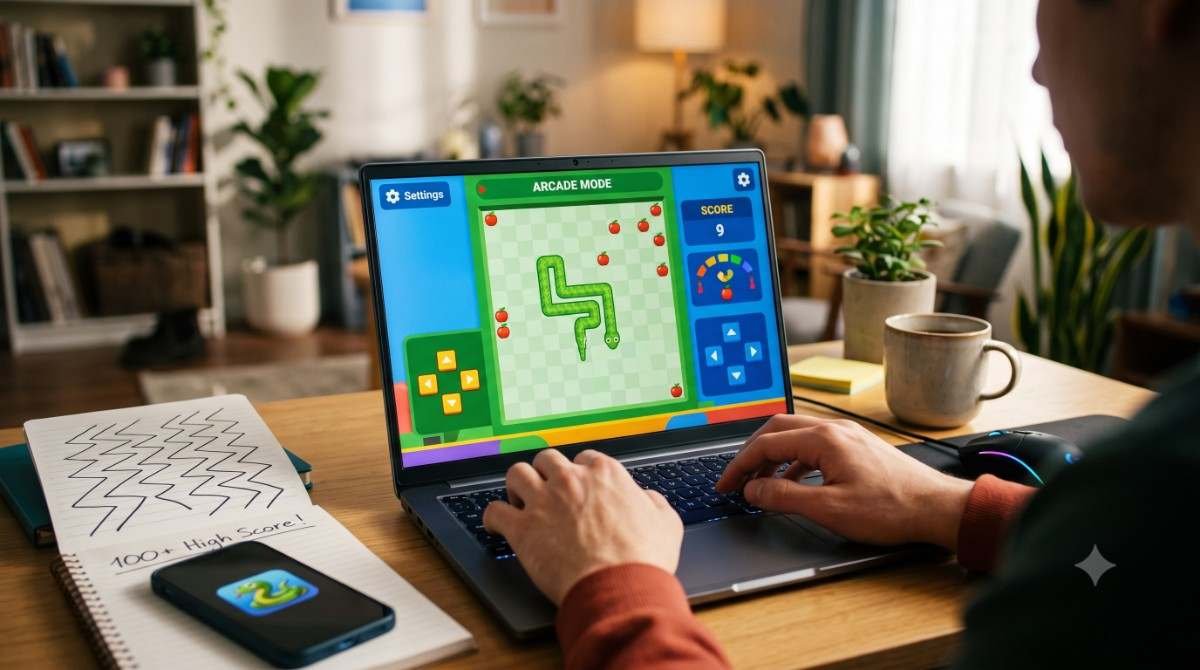
Few video game concepts have stood the test of time quite like Snake. First introduced to arcade parlours as Blockade in 1976 and later cemented into global pop-culture via monochromatic Nokia handsets in the late 1990s, the formula is timeless: steer an ever-growing line, collect food, and avoid crashing into borders or your own tail.
When Google introduced its modern tribute as an interactive search Easter egg, it breathed new life into the genre. Smooth animations, vibrant visuals, zero paywalls, and deep mechanical customisation have made Google Snake one of the most played casual browser games in the world.
Whether you are seeking a quick work break or aiming to smash high-score records, here is your definitive, end-to-end guide to mastering Google Snake online for free.
1. How to Access Google Snake Instantly
One of the greatest appeals of Google Snake is its accessibility. You never need to download third-party software, register an account, or navigate intrusive banner advertisements.
- Via Google Search: Open your browser (Chrome, Firefox, Safari, or Edge) and search for play snake, google snake, or google snake game. An interactive widget will launch directly at the top of your search results. Click Play to begin.
- Via Standalone Direct URL: For an optimal experience free of page-scrolling interference, navigate directly to [google.com/fbx?fbx=snake_arcade](https://google.com/fbx?fbx=snake_arcade). This launches the game in an isolated window.
- On Mobile Devices: The game runs natively inside mobile browsers. Simply search the game on your smartphone or tablet; intuitive touchscreen swipes replace keyboard controls.
- Offline Play: If your browser has cached the standalone asset or you save the offline page, you can play even when you lack an internet connection.
2. Controls and Platform Mechanics
Understanding input responsiveness is critical to surviving tight, late-game board states:
| Platform | Control Method | Pro Tip |
|---|---|---|
| Desktop / Laptop | Arrow Keys or WASD | Keep fingers rested over directional clusters; avoid switching between Arrow and WASD mid-run. |
| Mobile / Tablet | Touchscreen Swipes | Use short, precise thumb flicks rather than broad finger drags across the glass. |
| Pause Function | Spacebar or On-Screen Icon | Use pause liberally in the endgame to scan for viable escape routes before committing. |
3. Customisation: Board Sizes, Speed, and Hidden Modes
Google Snake is far more than a basic recreation; clicking the gear icon on the menu screen unlocks an array of mechanical and visual toggles.
Board Dimensions
- Small (10×9 tiles): An ultra-dense, fast-paced sprint where space runs out almost immediately.
- Normal (17×15 tiles): The balanced standard for casual and competitive play.
- Large (24×21 tiles): A sprawling grid suited for marathon runs and massive point totals.
Speed Settings
- Turtle (Slow): Excellent for beginners learning pathing algorithms.
- Rabbit (Normal): The intended default cadence.
- Lightning (Fast): Tests pure reflex speed and frame-perfect directional inputs.
Special Game Modes
Beyond standard play, Google features several unique gameplay variants:
- Classic (Single Apple): The pure arcade standard.
- Wall-Pass / Borderless: Running into the edge wraps your snake around to the opposite side of the screen.
- Cheese Mode: Certain segments of the snake’s body are transparent, allowing safe self-intersection.
- Portal Mode: Two apples spawn; entering one teleports your head out of the other.
- Twin Mode: Controls alternate between two snakes every time food is eaten.
- Key and Lock: Unlocking safe zones and opening gates before reaching rewards.
4. Advanced Strategies to Score Over 100 Points
Anyone can clear 30 to 40 apples on reflex alone. Crossing the 100-point threshold, however, demands spatial management and deterministic routing.
Rule 1: Control the Perimeter Early
In the early game (lengths under 30), resist the temptation to dart straight through the center of the grid for the fastest route. Instead, circle the perimeter and approach targets from the outside. Keeping the center clear preserves valuable maneuvering room for later stages.
Rule 2: The S-Curve (Hamiltonian Zigzag)
As your body expands past 30% of the board's capacity, random movement becomes fatal. Transition into a systematic serpentine pattern. Snake horizontally or vertically along adjacent rows, packing your body into tight, neat ribbons. This prevents you from accidentally walling off sections of the board and trapping yourself in dead-end pockets.
Rule 3: The Tail-Chasing Escape Rule
When a bad turn leaves you boxed in with nowhere safe to go, steer directly toward your tail. Because the tail advances one tile forward with every step you take, pursuing it guarantees an opening will materialize—provided you do not eat an apple that temporarily pauses tail contraction.
Rule 4: Never Enter Blind Pockets
Before diving into an enclosed corner to grab an apple, ask: Does this corridor have an exit path longer than my current length? If entering a dead-end requires eight turns, but your body is ten tiles long, you will crash into yourself before turning around. Circle the perimeter and let your body catch up before committing.
5. Troubleshooting and Performance Optimization
While lightweight, browser gaming can encounter subtle technical hitches:
- Eliminating Input Lag: Turn on Hardware Acceleration in your browser's system settings (chrome://settings/system). If performance stutters, disable demanding background applications or tabs streaming 4K video.
- Preventing Unwanted Page Scrolling: On desktop search results, pressing the down arrow key can scroll the webpage instead of turning the snake. Play exclusively via the standalone [google.com/fbx?fbx=snake_arcade](https://google.com/fbx?fbx=snake_arcade) interface to lock inputs to the canvas.
- Touch Latency on Mobile: If swipes feel sluggish on mobile browsers, disable browser zoom gestures or launch the game in full-screen desktop mode.
The Verdict
Google Snake stands out as an exemplary web arcade release: clean, completely free, universally compatible, and remarkably deep. Whether you want a two-minute distraction between tasks or an intense strategic test to map out a 200-point board fill, the game delivers pure arcade satisfaction straight from your browser bar.